
Let me start with this: I love AI. I use it every day, and I teach schools how to use it. AI tools can help us save time, spark ideas, and make our jobs easier.
But just because AI can create a beautiful graphic in 30 seconds doesn’t mean it belongs on social media.
And lately, we are seeing a LOT of AI-generated graphics and flyers for things like events, school supply lists, hiring graphics, and registration information. Some have so much information packed into them that you need a magnifying glass to read them. Others somehow have 14 details… but forget the date. 😆
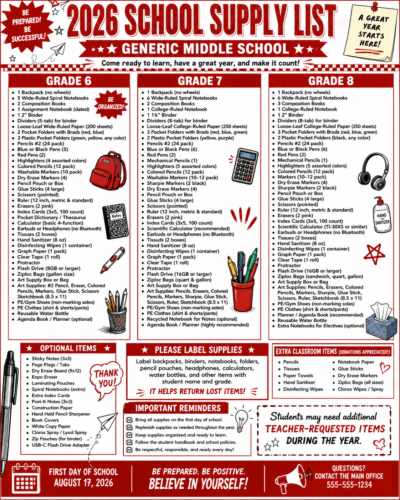
AI makes creating graphics easier, but that doesn’t automatically make those graphics good for social media.
I’m assuming I’m preaching to the choir here. As a school communicator, you probably already know this – but your staff might not! So, here are four important points you can share the next time someone sends you an AI-created flyer and says, “Can you put this on Facebook?”
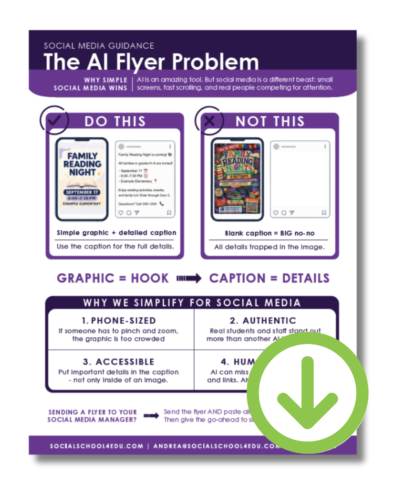
And if you want a one-page summary of this tip, download it here.
1. Your Desktop is Lying to You
If you created an AI flyer on your computer, it could look great! Everything is perfectly readable. The colors are beautiful, and you can see every single detail.
But now, open it on your phone. Don’t click on it or zoom in. Don’t turn your phone sideways.
Can you still read it?
Remember, your audience is scrolling on a small screen. Some of us (including me) are reaching for our cheaters just to read normal-sized text! If I have to click your graphic, zoom in, move side to side, and hunt for information, you’ve made the communication way too hard.

School supply lists are a perfect example. Please don’t squeeze multiple grades and columns of supplies into one social media graphic! Instead, create a simple graphic that says “School Supply Lists” and direct families to an accessible webpage or document where they can easily find it.
The bottom line: Your social media graphic doesn’t have to include everything.
2. Your AI Graphic Looks Like a Million Others
AI can make really polished graphics, and that’s actually part of the problem. It generates perfect fonts, cute icons, shiny text, and smiley, AI-generated kids. They’re everywhere!
When everything starts looking the same, it’s harder to grab attention and stop the scroll. Do you know what stands out right now? Real people! And real moments from inside your school.
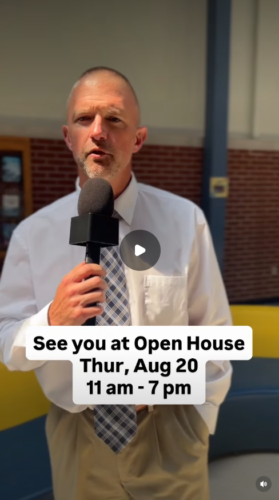
Even a quick video from your principal saying, “Hey families! Don’t forget Family Night is next Thursday!” can feel completely different from everything else in someone’s feed. In a world filled with AI-generated content, authenticity becomes even more valuable.
But YES – AI Can Help You Create Graphics!
I don’t want this blog to sound like I’m telling you to stop using AI for graphics. I’m definitely not! AI can actually be incredibly helpful when you give it your branding and a very specific job.
I recently did this for New Auburn School District, where I manage social media on a daily basis. We already had a branded “Important Information” graphic and a blank version of that same template. Instead of asking AI to dream up an entirely new graphic for an elementary newsletter, I uploaded both images and gave it this simple prompt:
Please add the words “Elementary Newsletter” to the blank branded graphic using the same font as the Important Information graphic.
That’s it! AI created a simple Elementary Newsletter graphic that matched the school’s existing look.
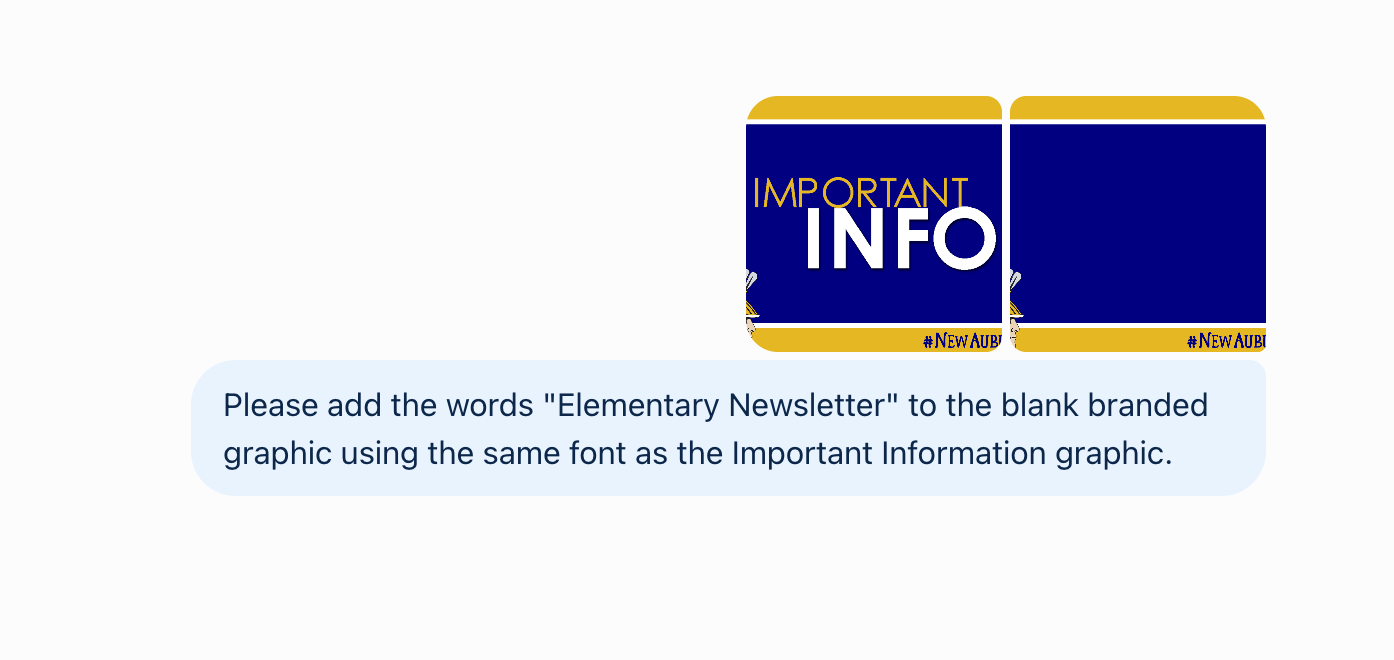
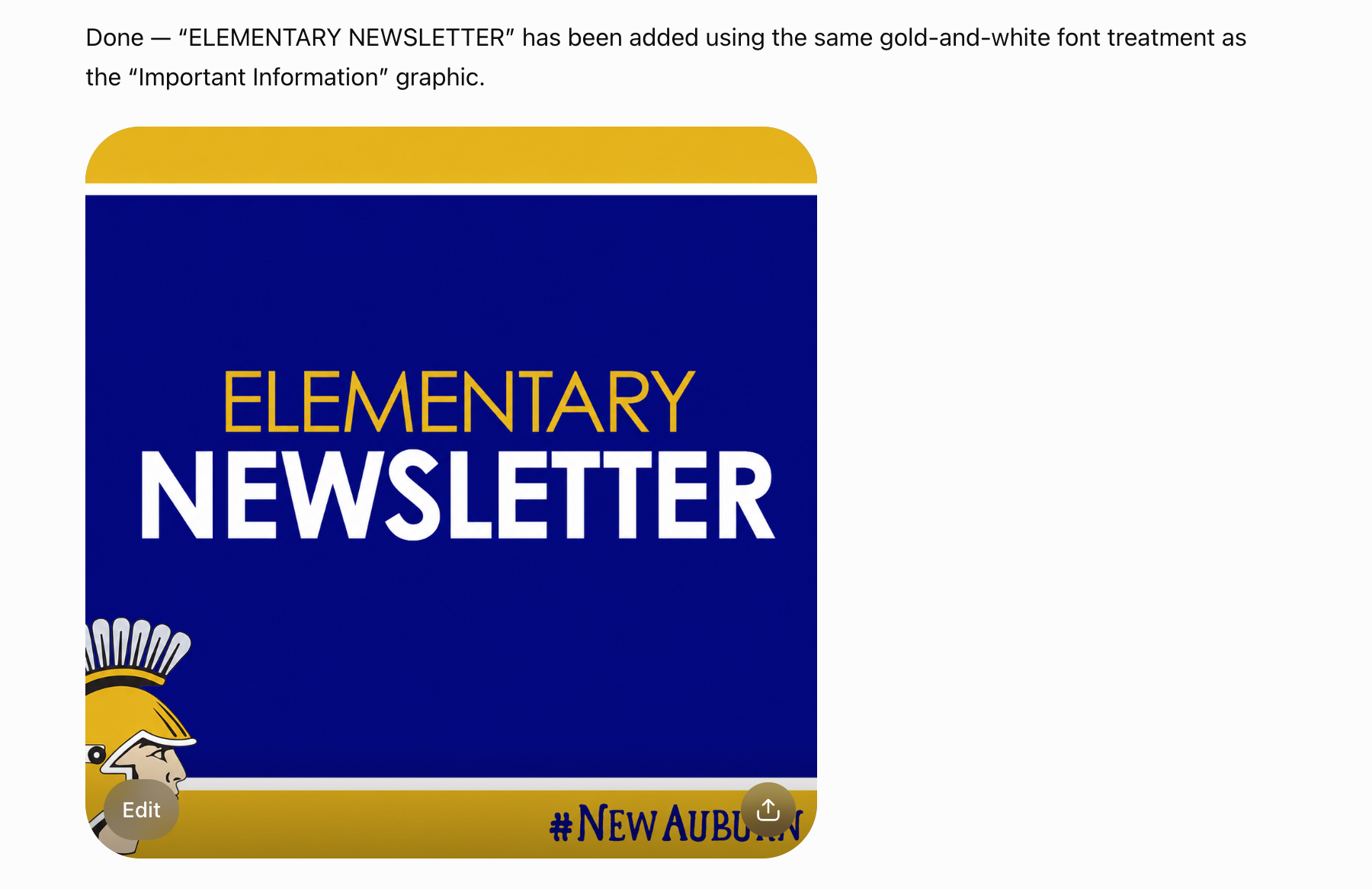
This is a GREAT use of AI. I wasn’t asking it to cram 87 words onto a flyer or invent fake students. And I didn’t ask it to create a completely new design that looked nothing like New Auburn. I simply used my AI tool to extend an existing brand.
So, use AI to help you create something simple, recognizable, and customized to your school. You can do this by:
- Providing examples of your existing graphics
- Telling your AI tool what you want to keep consistent
- Asking your AI tool to change a headline, create a variation, or adapt a design for another purpose.
When used currently, AI doesn’t ruin your branding – it can help your graphics look more like you.
Quick word of caution: Please be careful with AI-generated students and staff. Even if you know those people are fake, a parent may wonder whether actual student photos were uploaded into an AI platform to create the image. Why introduce that concern? You have enough on your plate already – and you have amazing real people in your schools! Use their real-life photos, instead.
3. Graphic = Hook. Caption = Details
This might be the most important takeaway from this entire blog:
Graphic = Hook. Caption = Details
Your social media graphic does NOT have to communicate everything. Its job is to get me to stop. Your caption can do the rest!
So instead of creating a Fall Family Night graphic filled with the date, time, location, dinner information, registration details, activities, parking instructions, contact information, and seven adorable AI children… simplify it.
Your graphic might just say:
FALL FAMILY NIGHT
October 15 | 5–7 PM
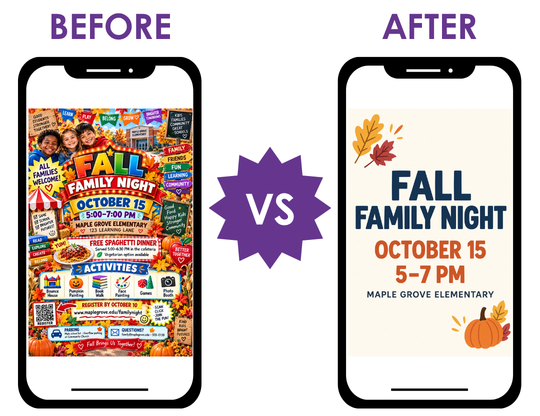
That’s it! Use a great photo of your actual students if you have one, or create a clean, simple branded graphic. Then add the location, activities, dinner details, registration link, parking info, and everything else in the caption.
Simple doesn’t mean boring. Simple means clear.
And remember – every social media post needs a caption anyway. A flyer with a blank caption is a big no-no. Don’t trap all of your important information inside the image when the caption is sitting right there waiting to do its job!
4. Digital Accessibility is Key
Digital accessibility is becoming even more important for public schools. The Department of Justice’s Title II accessibility requirements use WCAG 2.1 Level AA, with compliance deadlines in April 2027 or April 2028, depending on the size of the public entity. The DOJ guidance specifically addresses social media posts.
In the context of today’s topic, you need to know that when important information is contained within an image, you have to make sure that information is also available in an accessible format. That’s another reason to stop trapping every detail inside a graphic!
Think about that 87-word event flyer again. Why make accessibility harder when most of those details could simply be regular, accessible text in your caption?! Just put the important information in the caption where people can actually read and access it.
 Digital accessibility isn’t a “someday” issue. It’s something you need to pay attention to, right now. But for school communicators, knowing where to start can feel overwhelming. If that describes you, this webinar is exactly what you need! Watch “Digital Accessibility for Schools: Clear Steps, Real Examples, Zero Overwhelm” on-demand, right now.
 But What If You NEED a Flyer for the Hallway?
Great! Make the flyer! I’m not anti-flyer.
The 8½-by-11-inch flyer hanging in your school may need all of those details. A handout going home with students might need them, too. But social media is a different communication tool.
If you’re the one creating the flyer, and you’re sending that onto someone else for social media, go ahead and send them the flyer – and also paste all of the information as regular text in your email. Give your social media manager permission to simplify it.
They may use a real photo instead. They may pull out only the most important words for a simple branded graphic. They may turn it into a quick video.
That’s not because they don’t like your flyer. Their job is to get people to actually see and engage with your message.
Keep Telling Authentic Stories!
AI can do incredible things for schools. Use it to brainstorm, write, save time, create customized graphics, extend your brand, and get unstuck. But remember, AI is the tool. Great communication is still the goal.
And for social media, I’ll take a real kid, a real moment, or a simple on-brand graphic over seven perfectly smiling AI kids every single time!